W-4 Generator: Fill Out Your 2026 W-4 Form Online
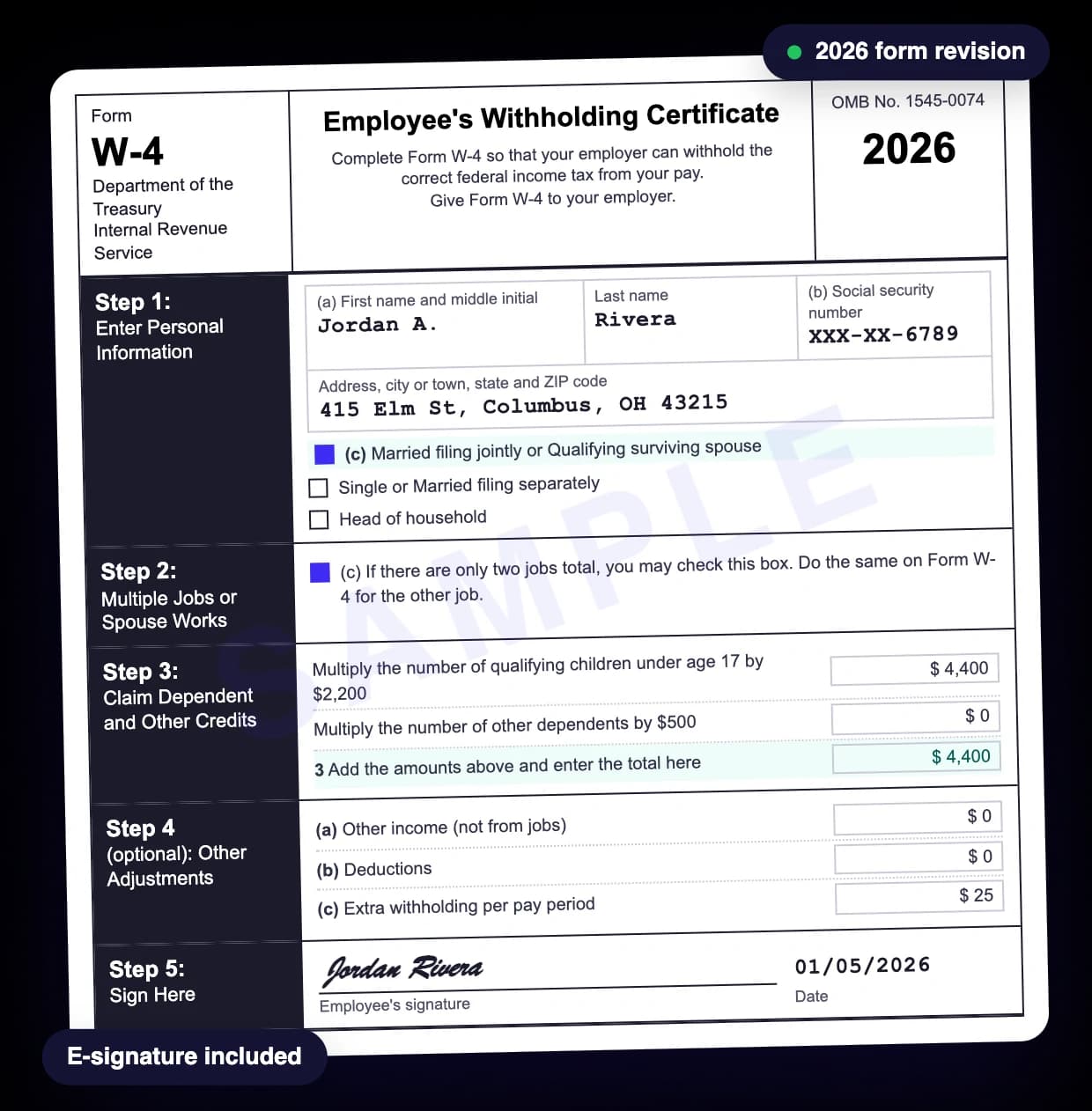
Need to complete a W-4 for a new job or update your federal income tax withholding? The W-4 Generator helps you fill out IRS Form W-4 online without printed paperwork. Enter your information, review your form, add your signature and download your completed document.
Whether you are starting your first job, managing more than one source of income or changing your tax withholding, the generator organizes the information your employer needs for your 2026 W-4.

- 2026 form
- E-signature included
- No subscription
- Secure checkout
- 30-day money-back guarantee
- 24/7 support


- Apple Pay
- G Pay
- VISA
- Mastercard
- AMEX
Money-back guarantee · Free preview · No subscription · Reviews on Trustpilot
- What it doesTells your employer how much federal income tax to withhold from each paycheck.
- Who fills it inEvery new employee, plus anyone whose family, income or second job changes.
- Required stepsOnly Step 1 and Step 5. Steps 2 to 4 apply only if they fit your situation.
- Exempt renewalA 2026 exemption ends unless you give a new W-4 by February 16, 2027.
- Price$9.99 per form, signed PDF sent to your email.
How to Create a W-4 Form Online
You can create a W-4 online by entering your personal information, completing the withholding sections that apply and reviewing your document before you download it.
- 1
Step 1: Enter your personal and employer information
Select the 2026 tax year and provide your name, Social Security number, address and filing status, plus the employer details the generator asks for.
- 2
Step 2: Complete your tax withholding information
Say whether you have multiple jobs, claim dependents or need extra withholding adjustments. Skip the optional sections that do not apply to you.
- 3
Step 3: Review, sign and download
Check your W-4, add your signature with your cursor or finger and finish the order to get your document.
You do not need to work out your federal income tax by hand to fill out the form. Your withholding choices should still reflect your real tax situation. If you are unsure what to enter, the IRS Tax Withholding Estimator can help you decide.
What Is Form W-4 and What Is It Used For?
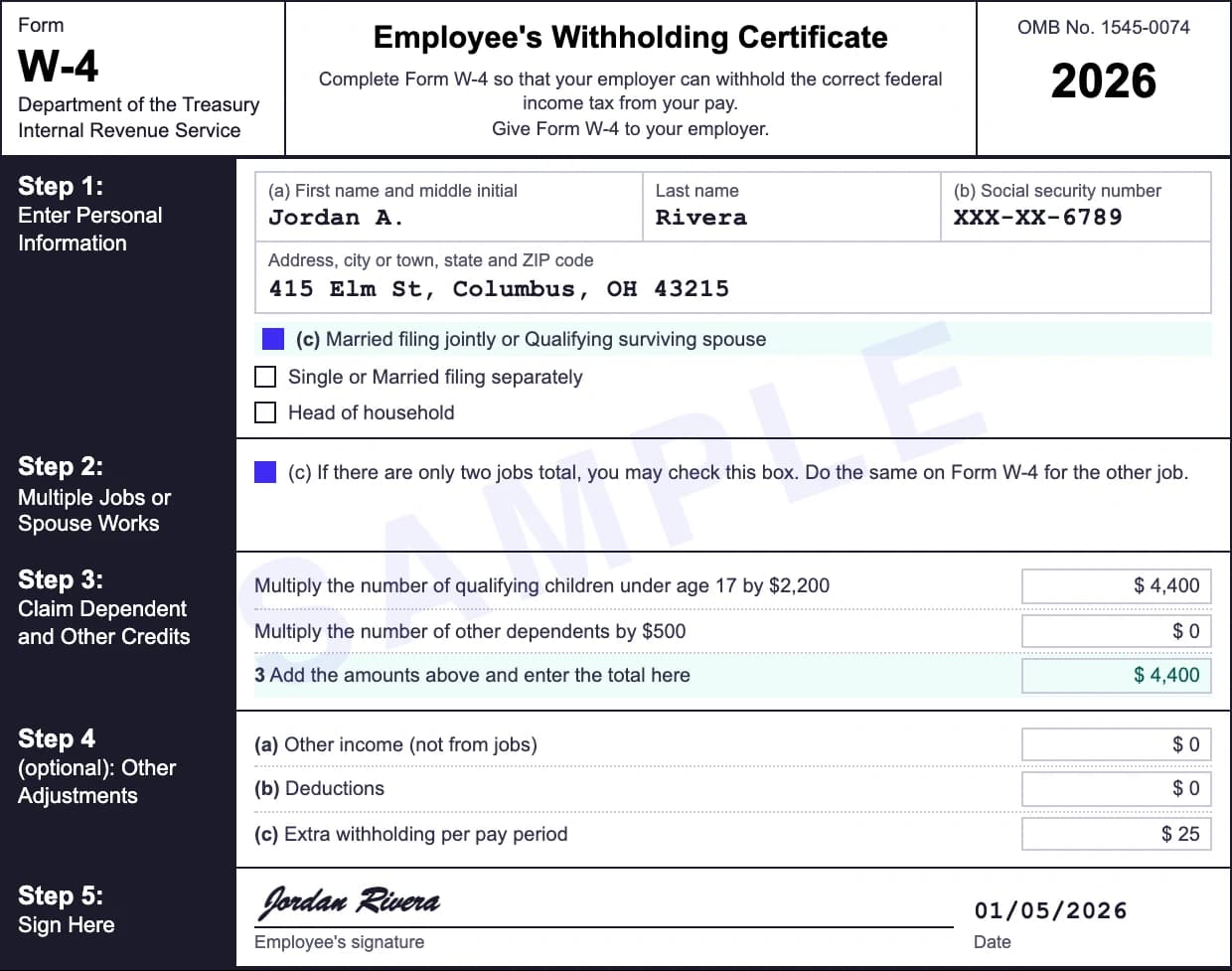
Form W-4, officially the Employee's Withholding Certificate, is an IRS form that tells your employer how much federal income tax to withhold from your paycheck. Employees usually complete it when they start a job or when their financial situation changes.
Your employer uses your W-4 together with your earnings and pay frequency to calculate federal income tax withholding. That money goes to the IRS during the year and is credited toward your income tax for the year.
Someone with one job and no dependents may need different withholding from a married employee whose spouse also works. Form W-4 handles those differences through filing status, multiple job information, dependents and optional adjustments.
The W-4 does not set your final tax bill. It controls how much of your expected federal income tax is paid in advance through your wages, which is the federal income tax line on every pay stub.
How to Fill Out a W-4 Form in 2026
The 2026 Form W-4 has five steps: personal information, multiple jobs, dependent credits, other adjustments and your signature. Everyone completes Step 1 and Step 5; Steps 2 through 4 only when they apply.
Step 1: Enter Your Personal Information
Step 1 collects what your employer needs to match your wages and withholding to the right employee: your legal name, home address, Social Security number and expected filing status.
The filing status choices are Single or Married Filing Separately; Married Filing Jointly or Qualifying Surviving Spouse; and Head of Household. Your filing status affects the standard deduction and the tax rates used to calculate withholding, so choose the status you expect to use on your tax return.
Step 2: Multiple Jobs or Spouse Works
Step 2 applies if you hold more than one job at the same time or are married filing jointly and your spouse also works. With one job and a spouse who has no earnings, you can usually skip it.
The IRS offers three ways to account for multiple jobs: the IRS Tax Withholding Estimator, the Multiple Jobs Worksheet that comes with Form W-4 or the Step 2(c) checkbox when there are exactly two jobs in the household.
The checkbox works best when the two jobs pay about the same. When the pay differs a lot, the worksheet or the estimator is usually more accurate. With more than one W-4, complete Steps 3 through 4(b) on only one form, ideally the one for the highest-paying job.
Step 3: Claim Dependents and Other Credits
Step 3 lets eligible employees account for dependent credits and other expected tax credits. Claiming them lowers federal income tax withholding and raises your take-home pay.
For the 2026 W-4, employees with total income of $200,000 or less ($400,000 or less if married filing jointly) use these amounts when eligible:
| Dependent category | 2026 amount |
|---|---|
| Qualifying children under age 17 | $2,200 per child |
| Other qualifying dependents | $500 per dependent |
If you qualify for the full amounts for one child under 17 and one other dependent, the total for those credits is $2,700. The amounts depend on eligibility rules, including income and identification requirements. You may also include estimates for other credits, such as some education credits.
Step 4: Make Other Withholding Adjustments
Step 4 lets you fine-tune withholding for other income, eligible deductions or an extra amount taken from each paycheck.
Step 4(a) Other income. Enter expected income that will not have federal tax withheld, such as taxable interest, dividends or some retirement income. Do not include wages from your jobs or self-employment income here.
Step 4(b) Deductions. If you expect deductions beyond the basic standard deduction, use the Deductions Worksheet to find the amount. For 2026 the worksheet also covers qualified tips, qualified overtime compensation, eligible passenger vehicle loan interest and an extra deduction for qualifying seniors. Each has its own rules and limits.
Step 4(c) Extra withholding. Enter an extra dollar amount if you want more federal income tax withheld from every paycheck. An extra $20 on each weekly paycheck adds up to $1,040 over 52 pay periods. It does not change the tax you owe, but it changes your refund or the balance due when you file.
Step 5: Sign and Date Your W-4 Form
In Step 5 you certify that the information on your W-4 is correct. The form is not valid until you sign it. With Online Paystub you sign directly on screen. Before you finish, check your Social Security number, filing status, dependent amounts and any extra withholding.
Then give the W-4 to your employer in the way they accept. Your employer uses it to update your payroll withholding.
What's New on the 2026 W-4 Form?
The 2026 W-4 reflects changes in federal tax law that affect dependent credits, eligible deductions and how employees claim exemption from withholding.
- Higher child amount: $2,200 for each qualifying child under 17 in Step 3, up from $2,000 on older versions.
- Updated Deductions Worksheet: new lines for qualified tips, overtime compensation, passenger vehicle loan interest and qualifying seniors.
- An exempt checkbox: employees who qualify now check a box instead of writing "Exempt" on the form.
| Line | What you enter | Up to | Income must be under |
|---|---|---|---|
| 1a Qualified tips | Your estimate of qualified tips for the year | $25,000 | $150,000 ($300,000 joint) |
| 1b Qualified overtime | The extra half of time-and-a-half pay | $12,500 ($25,000 joint) | $150,000 ($300,000 joint) |
| 1c Car loan interest | Interest on a qualified passenger vehicle loan | $10,000 | $100,000 ($200,000 joint) |
| 3a and 3b Seniors | $6,000 for you and $6,000 for a spouse who is 65 or older | $6,000 each | $75,000 ($150,000 joint) |
When you complete a W-4 in 2026, use the current form rather than figures from an older year. The official 2026 IRS Form W-4 has the complete instructions.
Why Use an Online W-4 Form Generator?
An online W-4 form generator saves you from printing a blank form and filling in every field by hand. Online Paystub splits the form into separate steps, so you can focus on one part at a time and review the result before you finish.
It is especially handy when you need a form outside office hours, want to update withholding after a job change or have no printer nearby. You enter your information, make changes and sign in one online flow.
The generator prepares the document from the information you provide. It does not decide which withholding choices are best for your finances.
How Does Form W-4 Affect Your Paycheck and Tax Refund?
Your W-4 decides how much federal income tax comes out of each paycheck, which changes your take-home pay and the size of your refund. A stub that suddenly shows no federal income tax withheld usually traces back to the W-4.
- Too much withheld: a larger refund after you file, but less money in each paycheck during the year.
- Too little withheld: bigger paychecks now but a tax bill when you file, sometimes with an underpayment penalty.
The goal is not the biggest refund. It is withholding that reasonably matches your expected tax for the year. For a personal estimate, the IRS Tax Withholding Estimator looks at your income, filing status, deductions and credits before you fill in a new W-4.
When Should You Fill Out or Update Your W-4?
Complete Form W-4 when you start a new job. Review it whenever a big change could affect your federal income tax: marriage or divorce, a new child, a second job, a large raise or new deductions you qualify for.
It is also worth a look after you file your tax return. An unexpectedly large bill or refund can signal that your withholding needs another look, though it does not always mean the W-4 was wrong.
If your employer already has a valid W-4 on file, you usually do not need a new one every year. The main exception is claiming exemption from withholding, which must be renewed each year.
W-4 vs. W-2 vs. W-9: What's the Difference?
Forms W-4, W-2 and W-9 all deal with work and taxes, but each has a different job.
| Form | Purpose | Who completes or provides it |
|---|---|---|
| W-4 | Sets federal income tax withholding instructions | Employee |
| W-2 | Reports a year's wages and taxes withheld | Employer |
| W-9 | Provides a taxpayer identification number and certification | Payee, often an independent contractor |
A W-4 is completed before or during employment so the employer knows how to calculate withholding. A W-2 reports what happened during the year, while a W-9 gives a business the details it needs for reportable payments. When what you need is the year-end wage statement itself, you can prepare a W-2 form online the same way.
Frequently Asked Questions About W-4 Generators
Can’t find an answer? See all FAQs or contact support.
What is a W-4 generator?
A W-4 generator is an online tool that helps employees complete Form W-4, the IRS Employee's Withholding Certificate. It collects the information, puts it in the right fields and creates a document you can give to your employer.
Can I fill out a W-4 form online?
Yes. You can fill out a W-4 online with a form generator such as Online Paystub. Enter your details, complete the sections that apply and sign the document. Check with your employer how they accept it.
Is a W-4 form free?
The blank Form W-4 is free from the IRS. Online generators charge for preparing the document. Online Paystub shows the price, $9.99, before you complete your order.
Do I need a new W-4 form for 2026?
Not necessarily. If your employer already has a valid W-4, you usually do not need a new one just because the year changed. Review your withholding if your situation has changed or if you claim exemption from withholding.
Can I claim exempt on my W-4?
You can claim exemption for 2026 only if you had no federal income tax liability in 2025 and expect none in 2026. Use the exempt checkbox on the 2026 W-4. To keep the exemption you must give your employer a new form by February 16, 2027.
How many allowances should I claim on my W-4?
None. The current Form W-4 no longer uses withholding allowances; the IRS removed them when it redesigned the form in 2020. Withholding now depends on filing status, dependent credits, other income, deductions and optional adjustments.
Should I choose single or married filing jointly on my W-4?
Choose the status you expect to use on your federal tax return. If you are married filing jointly and your spouse works, complete Step 2 so the extra household earnings are counted.
Does my employer send my W-4 to the IRS?
Usually not. Employers keep W-4 forms in their payroll records and use them to calculate withholding. They send a W-4 to the IRS only when the IRS asks for it.
What is the difference between a W-4 generator and a W-4 calculator?
A W-4 generator creates the withholding certificate itself. A W-4 calculator estimates how your choices affect the tax taken from your pay. You can use a calculator to decide what to enter, then complete the form with a generator.
Does Form W-4 control state income tax withholding?
Not necessarily. Form W-4 covers federal income tax withholding. Some states require their own withholding certificate, while others use the federal W-4 for some purposes. Check your state's rules and your employer's payroll instructions.
Create Your 2026 W-4 Form With Online Paystub
Completing a W-4 does not have to mean printing pages, decoding unfamiliar fields or starting over to fix one entry. Enter your employee and employer details, choose the withholding options that apply, review your information and sign your W-4 online.