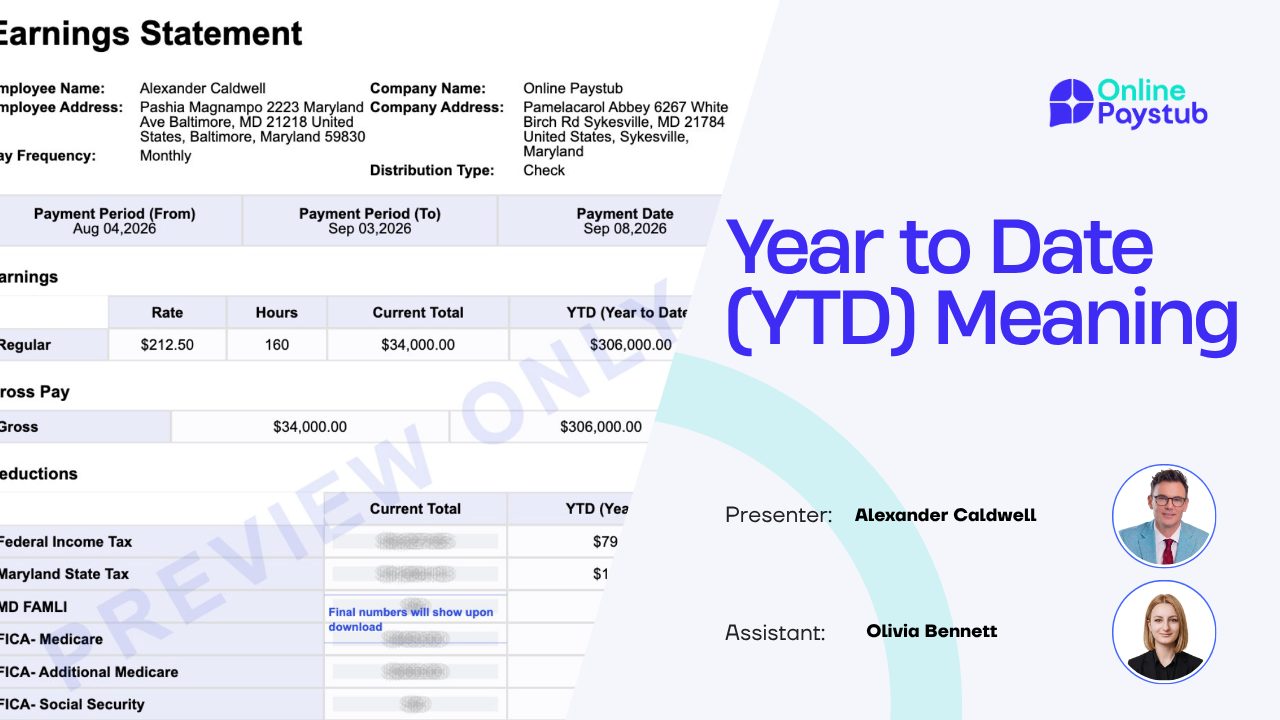

Almost every US pay stub has two columns of numbers side by side. One shows what happened in the pay period you just finished. The other, usually labeled YTD, shows the running total for the year so far. Most people check that net pay matches the bank deposit and ignore the rest.
That is a mistake. The YTD column is the most useful set of numbers on the document. It is what a mortgage underwriter asks for, what a landlord uses to size up your income, and what tells you in December whether your W-2 will be correct in January.
This guide covers what YTD means, where it appears, how it is calculated, when it resets, why YTD gross and net differ so much, and how to reconcile your final YTD figures against your W-2.
What YTD Actually Means
YTD stands for year-to-date. On a pay stub it means the cumulative total of an amount from the first pay date of the current calendar year through the pay date on the stub in your hand. It is a running sum, not an average and not a projection.
Every line item with a current-period amount also has a YTD amount, and that YTD amount is simply all prior current-period amounts for that line added together plus the current one. If you grossed 2,000 dollars in each of the first five pay periods, YTD gross on the fifth stub is 10,000 dollars.
Employers label the column differently: YTD, Year to Date, YR TO DATE, or Total. Some systems also print a QTD column for quarterly filings; QTD resets four times a year, YTD only once.
Where YTD Appears on Your Pay Stub
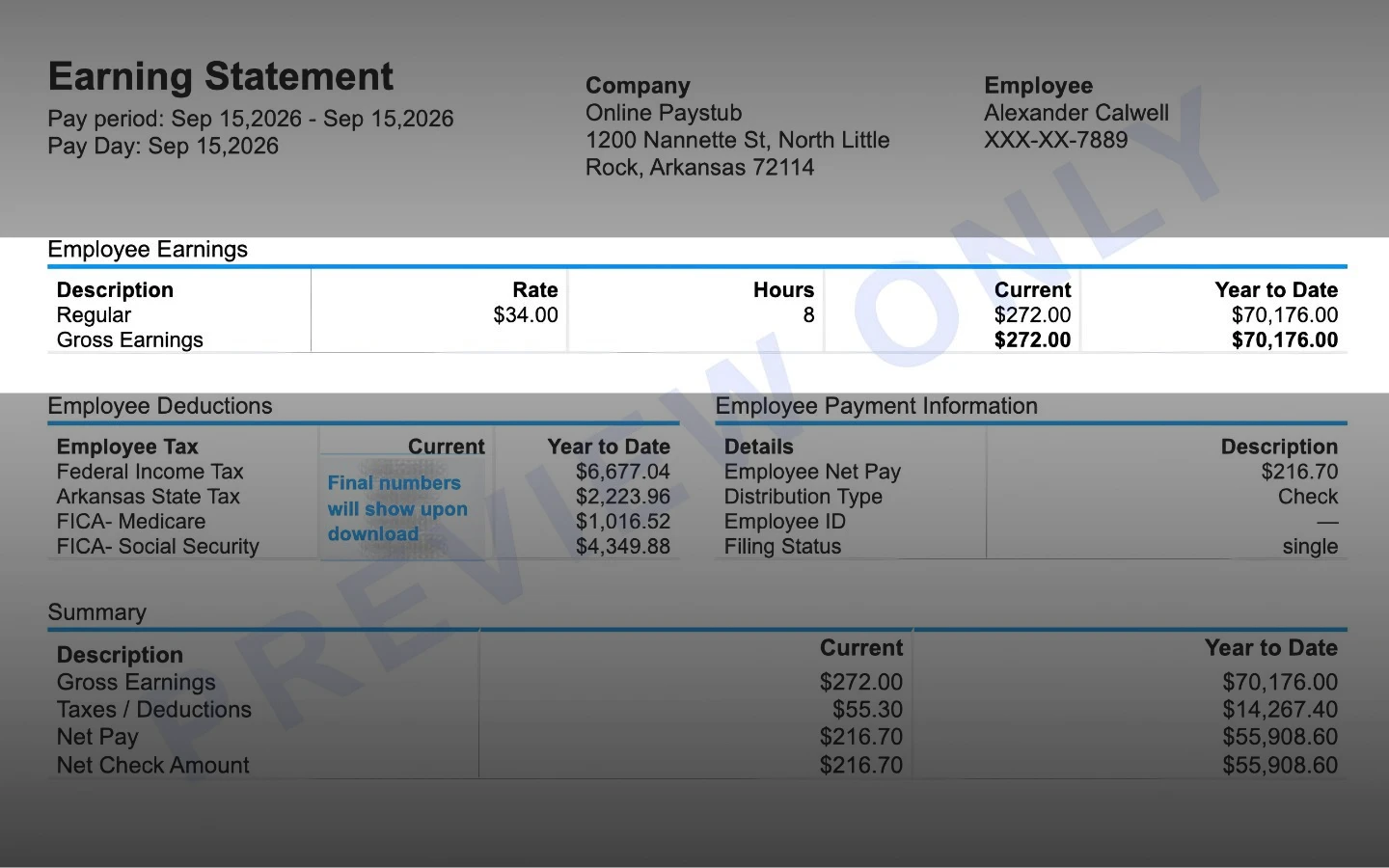
YTD is not one number in one corner. A properly formatted stub carries a year-to-date figure next to nearly every line, which is what makes the column so useful for auditing.
- Gross pay: everything you were paid before any withholding.
- Each earning type separately: regular, overtime, bonus, commission, tips, holiday, paid time off, and taxable fringe benefits.
- Each tax: federal income tax, Social Security (often shown as OASDI), Medicare, state income tax, and any local tax.
- Each deduction: pre-tax items such as 401(k) deferrals, health premiums, and HSA or FSA contributions, plus post-tax items such as Roth 401(k), union dues, and garnishments.
- Employer contributions on some stubs: the company share of premiums and the 401(k) match, which are informational only.
- Net pay: what actually reached your bank account, summed for the year.
What a YTD Column Looks Like
Here is a simplified stub for an employee paid semimonthly, shown on the tenth pay period of the year. The current column covers one pay period; the YTD column covers all ten.
| Line item | Current period | YTD |
|---|---|---|
| Regular pay | 2,916.67 | 29,166.70 |
| Overtime | 210.00 | 1,540.00 |
| Bonus | 0.00 | 2,000.00 |
| Gross pay | 3,126.67 | 32,706.70 |
| Federal income tax | 312.15 | 3,268.40 |
| Social Security | 184.31 | 1,933.61 |
| Medicare | 43.10 | 452.24 |
| State income tax | 109.43 | 1,146.05 |
| 401(k) pre-tax | 156.33 | 1,635.34 |
| Health premium pre-tax | 95.00 | 950.00 |
| Net pay | 2,226.35 | 23,321.06 |
Read down the YTD column and you get the whole year: total earned, taxed, deducted, and received. Read across and you see whether this period was typical.
How YTD Is Calculated and When It Resets
The formula is unremarkable: prior YTD plus current period equals new YTD. Payroll software stores a running total per employee per line item and adds to it every payroll run.
The part people get wrong is timing. YTD follows the pay date, not the work date. Hours worked in late December but paid on January 3 belong to the new year, on your stub and on your W-2.
YTD resets to zero on the first payroll with a pay date in January, because payroll taxes are administered on a calendar year. A company with a June fiscal year end still resets in January. Your first stub of the year should show YTD equal to the current period, a quick check that the reset worked.
YTD Gross vs YTD Net
Both numbers are correct and they are supposed to be far apart. Gross is what your employer paid you; net is what survived taxes and deductions. The gap is commonly twenty-five to thirty-five percent, more if you contribute heavily to retirement.
| YTD gross | YTD net | |
|---|---|---|
| Definition | Total earnings before withholding | Total actually paid to you |
| Includes | Regular, overtime, bonus, commission, tips, taxable fringe benefits | Whatever remains after all taxes and deductions |
| Used for | Income verification, W-2 reconciliation, wage base tracking | Budgeting and matching bank deposits |
| Who asks for it | Lenders, underwriters, benefits administrators | You, and occasionally a landlord |
| Relationship | Always the larger number | Usually 65 to 80 percent of YTD gross |
When a lender or rental application asks for year-to-date income without specifying, it almost always means YTD gross. Give the gross figure and let them apply their own assumptions; substituting net understates your income and can sink an approval.
Why YTD Matters
Income Verification
Underwriters take YTD gross, divide by the months elapsed, and annualize it. That is why a stub dated near month end is more useful to them, and why a large first-quarter bonus can inflate an early-year calculation. Landlords do something rougher, often requiring annualized income of thirty to forty times the monthly rent.
Checking Your W-2 Before It Is Too Late
Your final stub of the year is a preview of your W-2. Compare them in January, before you file. If they disagree in a way you cannot explain, you want a corrected W-2 from your employer rather than an IRS notice eighteen months later.
Tracking Contribution Limits and Wage Bases
Two limits live in the YTD column. The first is the Social Security wage base, which the SSA sets each year: once YTD Social Security wages pass it, that tax stops and net pay jumps. Medicare has no cap. The second is the annual elective deferral limit for 401(k) plans, set by the IRS. Watching YTD 401(k) through the fall tells you whether you will max out, or whether front-loading will stop contributions early and cost you employer match.
Catching Payroll Errors
Small errors hide in a single pay period and stand out in a yearly total. A benefit deduction that should have ended in March, a state tax withheld for a state you left, overtime paid at straight time: rounding noise in one period, real money in the YTD column.
Reconciling Final YTD Against Your W-2
Here is what confuses people every January: YTD gross will almost never equal Box 1 of your W-2, and that is normal. Box 1 reports federal taxable wages, not gross wages, and different pre-tax items are subtracted from different boxes.
| W-2 box | What it reports | Start from YTD gross and then |
|---|---|---|
| Box 1 | Federal taxable wages | Subtract pre-tax 401(k) deferrals, health, dental and vision premiums, HSA and FSA, and pre-tax commuter benefits |
| Box 3 | Social Security wages | Subtract Section 125 premiums, HSA and FSA, but NOT 401(k) deferrals; capped at the annual wage base |
| Box 5 | Medicare wages | Same as Box 3, with no cap |
| Box 12 code D | Elective 401(k) deferrals | Should equal your YTD pre-tax 401(k) deduction |
| Box 16 | State taxable wages | Usually close to Box 1, but state rules on pre-tax items vary |
| Box 2 | Federal income tax withheld | Should equal your YTD federal income tax exactly |
A worked example: if YTD gross is 39,248 dollars, YTD pre-tax 401(k) is 1,962 dollars, and YTD health premiums are 1,140 dollars, Box 1 should be about 36,146 dollars while Boxes 3 and 5 should be about 38,108 dollars, because the 401(k) reduces income tax but not FICA.
YTD When You Change Jobs Mid-Year
YTD is per employer, not per person. Start a new job in July and your first stub there begins at zero. Your old employer keeps its own totals and issues a separate W-2.
Three consequences follow. A lender may need your final old stub plus a recent new one, added together. The Social Security wage base restarts at each employer, so combined wages above it can mean excess Social Security withheld, which you claim back as a credit on Form 1040. And the 401(k) deferral limit is a per-person annual limit across all employers, so tell the new plan administrator what you already contributed.
Keep the final stub from every job you leave. It is the only cumulative record you control, and far easier to produce in March than to request from a former employer.
Common YTD Mistakes
- Reading the current column when the lender wanted the YTD column. This is the most frequent error on loan and rental applications.
- Reporting YTD net when asked for YTD income. Nearly every income question means gross.
- Assuming YTD gross should match W-2 Box 1. Pre-tax deductions make them differ legitimately.
- Assuming YTD follows the work date rather than the pay date.
- Forgetting to add prior-employer totals after a mid-year job change.
- Panicking when Social Security withholding stops late in the year. That is the wage base working as designed.
- Ignoring a YTD line that has stopped moving. That deduction either ended correctly or was dropped by mistake, and only you will notice.
Reading YTD on a Stub You Generate Yourself
Small-business owners and self-employed people often produce stubs outside a full payroll platform. The rules do not change: YTD must equal the sum of every prior pay date in the calendar year plus the current one, line by line, and must reset in January.
When you build a stub with a pay stub generator, enter the correct prior YTD balances first, or every stub after it will be internally inconsistent. Then run the three checks an auditor would: YTD gross minus all YTD taxes and deductions should equal YTD net; YTD Social Security should be close to 6.2 percent of YTD Social Security wages until the wage base is reached; and YTD Medicare close to 1.45 percent of YTD Medicare wages.
One caution worth stating plainly: a pay stub records wages actually paid. Generating one is legitimate recordkeeping, but the figures must reflect real payroll, and the YTD column is exactly where inconsistencies get spotted.
Create your paystub in minutes with the Online Paystub generator.
Create a Pay Stub Now