
Harris Teeter associates look up pay and benefits information through the company's associate sites, starting with MyHTSpace at myhtspace.com. Your pay stub is the record of what you earned and what was withheld on each pay date, so knowing where to find it matters for budgeting, taxes and loan applications.
This 2026 guide explains how MyHTSpace and Harris Teeter's Associate Self Assistance Portal (ASAP) fit together, how to register and sign in, how to get your W-2, what former associates can do and who to call when a login fails.
What Is MyHTSpace?
MyHTSpace is the web address Harris Teeter gives associates for its benefits site. When you open myhtspace.com, it forwards you to a Harris Teeter sign-in page run by Businessolver on its BenefitSolver platform, which the page itself calls "your Benefits Site". The page is meant for current team members; if you are still applying, the Harris Teeter careers site covers jobs and benefits instead.
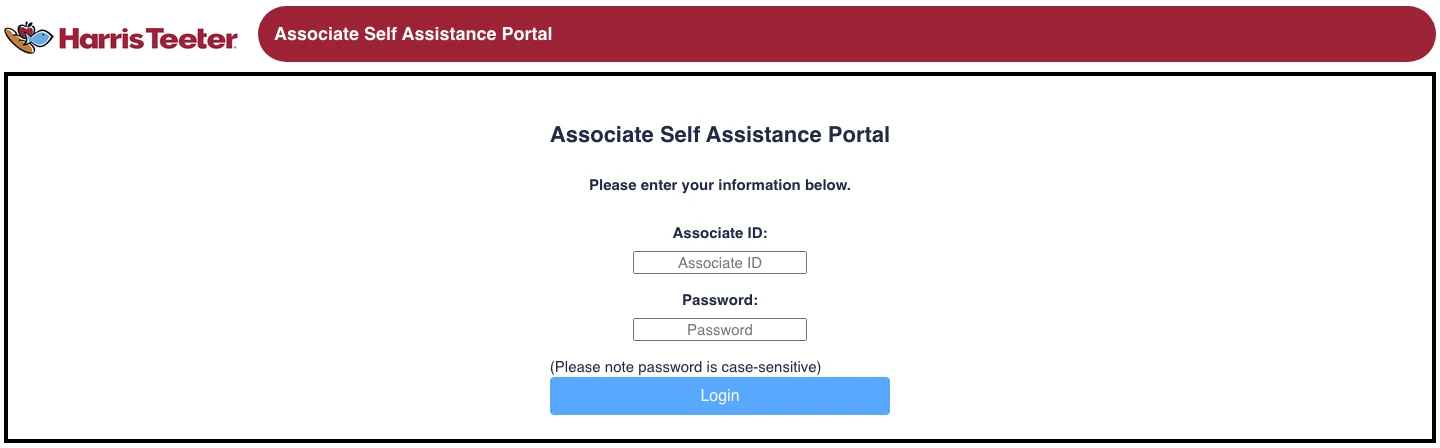
Harris Teeter also runs a sign-in of its own, the Associate Self Assistance Portal (ASAP) on htapp.harristeeter.com. ASAP asks for your Associate ID and a case-sensitive password, while MyHTSpace uses the user name and password you create when you register. Because the two screens ask for different details, keep track of which credentials belong to which site.
Harris Teeter has been part of The Kroger Co. since the merger closed on January 28, 2014, according to Kroger's announcement. The stores still operate under the Harris Teeter name, and the associate sign-in pages described here carry Harris Teeter branding rather than Kroger's, which is why a search for a Harris Teeter Kroger pay stub still leads back to MyHTSpace.
First-Time MyHTSpace Registration
New associates create their MyHTSpace account themselves. On the sign-in page, select Register under "Don't have an account?" and the site walks you through four steps: Info, Create, Confirm and Login.
- Enter your details on the Info screen. The site asks for your Social Security number, your date of birth (MM/DD/YYYY) and your ZIP code if one is on file. The Company Key is already filled in as HarrisTeeter.
- Select Continue and create your login. Choose a user name and password on the Create step. Both are case-sensitive, so note exactly how you typed them.
- Confirm and sign in. Finish the Confirm step, then sign in on the Login step with your new user name and password.
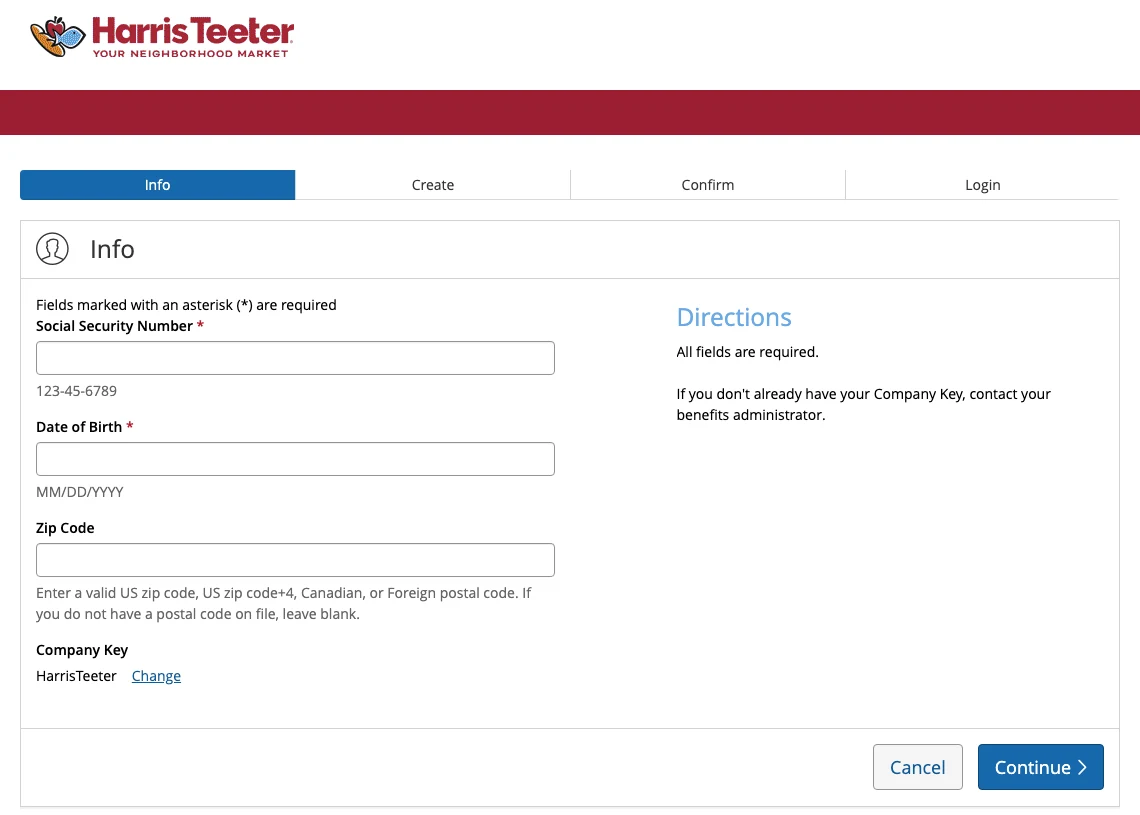
The Directions panel on that screen notes that if you do not have your Company Key, you should contact your benefits administrator. If the site cannot match your Social Security number and date of birth, the details on your employee record may differ from what you typed, and the HR Service Center can check them.
MyHTSpace Login: How to Sign In
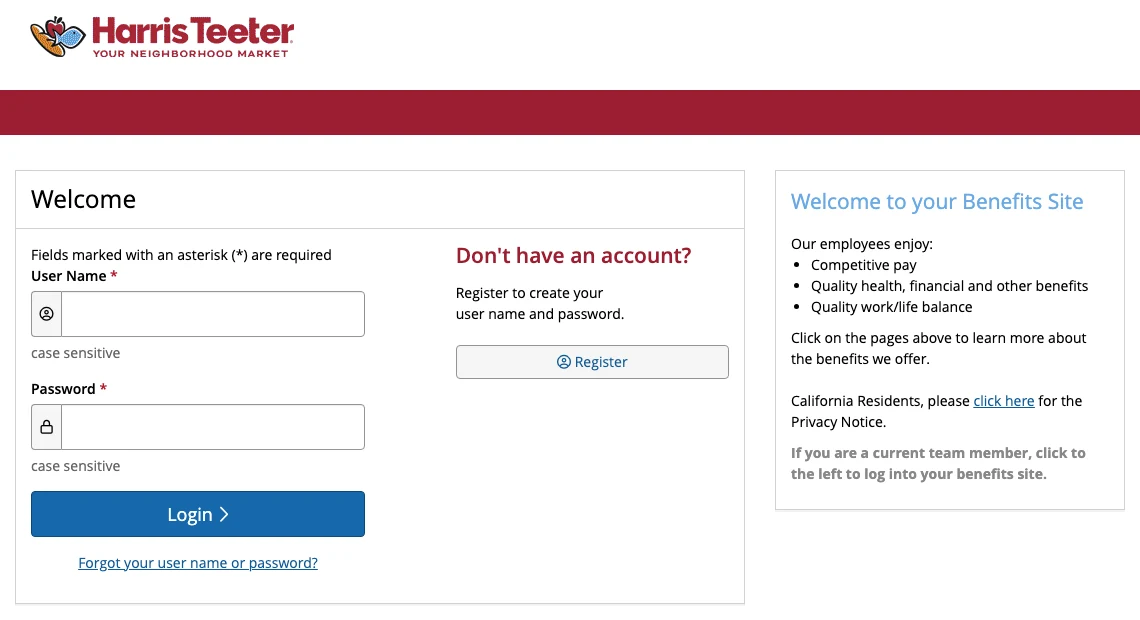
- Open MyHTSpace. Go to myhtspace.com. You are forwarded to the Harris Teeter sign-in page on benefitsolver.com, so check that the address bar shows that domain before you type anything.
- Enter your User Name and Password. Both fields are case-sensitive.
- Select Login. Complete any extra verification step the site shows you.
If you are asked for a verification code
Depending on your account, the site may ask for a one-time verification code after your password. Enter the code from the message you receive. If it goes to a phone number or email address you can no longer reach, call the HR Service Center to update your contact details rather than registering a second account.
How to View and Download Your Harris Teeter Pay Stub
Harris Teeter does not publish a public walkthrough of its pay screens, and menu labels can change when the site is updated. After signing in, look for the pay or paycheck area rather than a fixed menu name. If you do not see pay statements on MyHTSpace, check ASAP or ask the HR Service Center where your statements are posted.
- Open the pay or paycheck section after signing in.
- Choose the pay date you need.
- Open the statement and download or print it. If nothing appears, allow pop-ups for the site, because statements can open in a new window.
- Save it with a clear name, such as HarrisTeeter-Paystub-2026-09-12.pdf, so your files sort by date.
If you need proof of income, lenders and landlords usually ask for your most recent consecutive pay stubs and use them to work out your gross monthly income, so download stubs for back-to-back pay dates rather than picking one at random.
What's on a Harris Teeter Pay Stub?
A Harris Teeter pay stub follows the same structure as most retail pay statements, so once you know how to read a pay stub, you already know where to look. It typically shows:
- The pay period and pay date
- Hours worked, including overtime, and your hourly rate
- Gross earnings for the period
- Federal income tax, Social Security and Medicare, plus state income tax where your state has one
- Benefit deductions such as medical, dental or retirement plan contributions
- Net pay
- Current and year-to-date totals for earnings, taxes and deductions
Tax and deduction lines are usually printed as short codes, such as FICA for Social Security and Medicare or FIT for federal income tax. These are standard pay stub abbreviations used across US payroll systems, so the same labels appear if you later change employers.
How Often Are Harris Teeter Pay Stubs Updated?
Harris Teeter does not publish its pay schedule, and pay frequency can depend on your role and location. Your offer paperwork or store management can confirm yours.
Each pay date produces a new pay stub once payroll has been processed. If you expect a stub and it is still missing after payday, ask your store management or the HR Service Center before assuming a payroll error.
How to Get Your Harris Teeter W-2
Your Form W-2 is the annual summary of your wages and withholding that you need to file your tax return. The form and its official instructions are on the IRS About Form W-2 page, and employers generally must furnish it to employees by January 31.
Harris Teeter is listed in Equifax's Tax Form Management service at mytaxform.com under employer code 12823 (HARRIS TEETER, LLC.). Enter the code and select Login, and the site hands you off to a Harris Teeter sign-in, so you need your Harris Teeter associate login to view the form online.
If you have not agreed to receive your W-2 electronically, a paper copy is mailed to the address on file, so keep your mailing address current with HR. When the form arrives, check that your name and Social Security number match your records before you file.
Former Harris Teeter Associates: Old Pay Stubs and W-2s
Harris Teeter does not publish how long former associates keep access to its sites, so plan ahead before your last day.
- Download your pay stubs before you leave, especially the last few and your final paycheck stub once it posts.
- Update your mailing address with HR, because your W-2 for the year you leave is still issued the following January and a paper copy goes to the address on file.
- If the W-2 does not arrive, you can still get your W-2 from a previous employer by requesting a copy from payroll or asking the IRS for help once the deadline has passed.
- For older pay records, call the HR Service Center. Under the Fair Labor Standards Act, employers must keep payroll records for at least three years, according to the Department of Labor's recordkeeping fact sheet.
Can You Access MyHTSpace on Your Phone?
Yes, through your phone's web browser. MyHTSpace and ASAP are ordinary web sign-in pages, so you can open them in Safari or Chrome on a phone and sign in with the same details you use on a computer.
We could not find an official Harris Teeter pay stub app. Be careful with apps and websites that use the MyHTSpace name but are not run by Harris Teeter or Businessolver, and never enter your Social Security number or password on them.
MyHTSpace Login Problems and How to Fix Them
You forgot your user name or password
Select Forgot your user name or password? on the sign-in page. To confirm the account is yours, the site asks for your Social Security number (or member ID), date of birth, ZIP code if one is on file and the Company Key, HarrisTeeter. Select Continue to go on with the reset.
A password you know is correct fails
Check Caps Lock first, since both fields are case-sensitive. Then make sure you are on the right site: MyHTSpace asks for a user name, while ASAP asks for your Associate ID.
Your account is locked
After several failed attempts, stop trying new passwords. Use the reset link or call the HR Service Center, which can confirm your details and restore access.
The page does not load or a statement will not open
Use an up-to-date browser (the Browser Requirements link at the bottom of the sign-in page lists what is supported), clear your cache and cookies, and allow pop-ups for the site.
How to Contact the Harris Teeter HR Service Center
The MyHTSpace password reset page lists the HR Service Center at 704-844-HR4U (704-844-4748) or 888-590-8859, Monday through Friday from 8 a.m. to 5 p.m., with voicemail available 24/7.
For schedule questions or a pay issue at your store, your store management is usually the quickest first stop. When you call HR, have your Associate ID and the pay date in question ready. Never share your password with anyone, including over the phone.
Need a Pay Stub for Your Own Business?
Every employer handles pay stubs a little differently. Harris Teeter keeps pay and benefits information on its own associate sites, while many healthcare employers run payroll through Empeon, where associates download stubs from the Empeon ESS Hub. If you work a second job, its pay stub comes from that employer's system, not from MyHTSpace.
If you are an employer, contractor or self-employed and need to create pay stubs from genuine payroll information, Online Paystub organizes earnings, taxes and deductions into a professional payroll document.
Online Paystub should not be used to alter Harris Teeter records, recreate earnings that did not occur or produce documents containing false employment or income information. If you are a Harris Teeter associate, your official pay stubs come only from Harris Teeter.
Paying employees or yourself? Create a pay stub from your own payroll records in minutes.
Create a Pay Stub Now